SayControl vs Wispr Flow: which Mac dictation app fits you?
Both turn your voice into clean text in any app, and both give you 2,000 free words a week. The difference is what happens when you say more than words.
We make SayControl, so read this knowing that. Every Wispr Flow fact here comes from Wispr Flow’s own pages, linked at the end and checked on 12 October 2026. Where Wispr Flow is the better pick, we say so.
TL;DR
The short answer
If all you want is to talk instead of type on a Mac, either app will make you happy. They clean up your “um”s, fit the tone to the app you’re in, learn your words, and start at the same free 2,000 words a week.
Pick SayControl if you want your voice to do things while you write: drop a screenshot or a file into a sentence, or hear your coding agents when they need you. Pick Wispr Flow if you dictate on other devices, need one of the languages only it covers, or want meeting notes or team plans.
Nothing ticked yet. If none of these matter to you, both will do the job: try each one’s free plan and keep the one you like.
At a glance
The eleven things people ask about
| Feature |  SayControl SayControl |  Wispr Flow Wispr Flow |
|---|---|---|
| Free plan | 2,000 words a week | 2,000 words a week |
| Pro, monthly | $12 a month | $15 a month |
| Pro, yearly | No yearly plan | $12 a month |
| Cleanup and tone per app | ||
| Command mode | ||
| Screenshots, files, links by voice | Not available | |
| Ask ChatGPT, Claude, Grok, Perplexity | Not available | |
| Coding agents that talk back | Not available | |
| Meeting notes | ||
| Runs on | Mac | Mac, Windows, iPhone, Android |
| Languages | 60+ | 100+ |
Common ground
What both do well
The basics are close enough that you shouldn’t pick on them. On both, you hold a key, talk, and let go, and the words appear wherever your cursor is: Slack, Mail, Notion, a browser, a terminal.
- 2,000 words a week free, every week
- Hold a key, talk, and it types in any app
- Fillers and false starts cleaned up
- A tone for each app
- A dictionary and text shortcuts
- Command mode on the paid plan
The tone settings differ in name more than in kind. SayControl has Personal, Work, Email and Agents tones; Wispr Flow calls its version Styles and offers them in English on desktop.
Where SayControl goes further
Dictation that does things
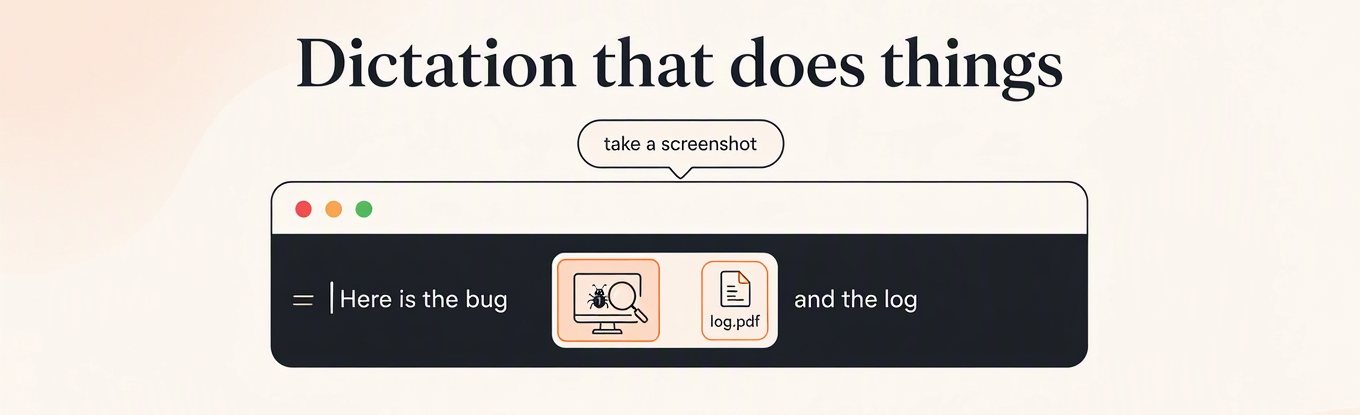
This is the biggest difference. In SayControl, you can name a thing in the middle of a sentence and it lands there. Say “take a screenshot” and the picture is pasted where you were writing. Say “attach the PDF from downloads” and the newest one is attached. Your sentence carries on around it.
A picture of your screen, pasted mid-sentence. Pick another to watch it land.
Wispr Flow has nothing like this outside code editors: in Cursor and Windsurf it can tag a file when you say its name. SayControl’s controls work in any app and also copy links and file paths, open apps, and start a terminal in a folder. They come with Pro. See everything you can say.
Only in SayControl
Your coding agents talk back
If you run Claude Code or Codex, you know the pattern: start a task, switch away, and come back ten minutes later to find it stopped two minutes in, waiting for a yes. SayControl speaks up when that happens. You hear that a session finished, hit a limit or wants permission, and you answer out loud. The reply goes straight into that session without a window moving.
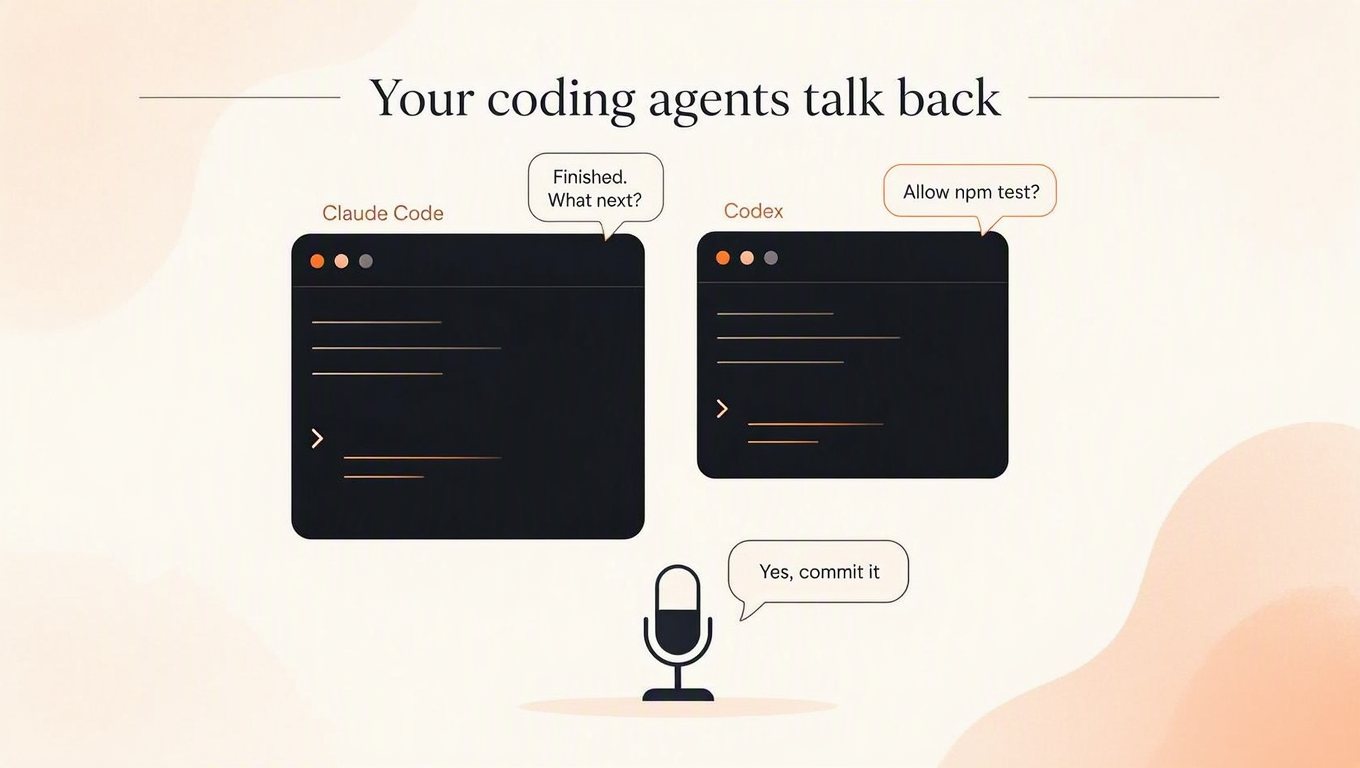
You can also talk to all of them at once: “any updates?”, “tell all agents to commit”, or “pause monitoring for 30 minutes” while you focus. Free accounts get 10 conversations to try it, and Pro includes 300 a month. Wispr Flow doesn’t have this.
Credit where due
Where Wispr Flow is ahead
Wispr Flow has been around longer and covers more ground. If any of these matter to you, they probably decide it:
It runs everywhere. Mac, Windows, iPhone and Android, synced across your devices. SayControl is Mac only.
It covers more languages. Over 100, against SayControl’s 60+.
It takes meeting notes. Its Notetaker writes AI meeting notes on Mac and Windows. SayControl has no notetaker.
It’s ready for teams. Shared dictionaries, SSO, admin controls and a HIPAA BAA on its business plans. SayControl’s team plan is a conversation for now.
Price
What it costs
Both free plans give you 2,000 words a week on a Mac (about a quarter of an hour of talking). SayControl Pro is $12 a month. Wispr Flow Pro is $15 a month, or $12 a month if you pay a year up front. Move the slider to see what that adds up to.
- SayControl · Pro, monthly$144
- Wispr Flow · Pro, monthly$180
- Wispr Flow · Pro, yearly (paid up front)$144
A yearly plan is paid a year at a time, so 12 months on it means paying for a whole year. Prices before tax.
Privacy
What happens to your voice
Both turn your audio into words in the cloud rather than on your Mac. The difference is the default. SayControl never keeps your audio on its servers, and there is nothing to switch on. Wispr Flow’s docs say it keeps nothing when Privacy Mode is on, and that Privacy Mode is off by default.
| Feature | SayControl | Wispr Flow |
|---|---|---|
| Audio kept on their servers? | Never | Not with Privacy Mode on (off by default) |
| Used to train models? | No | Can be, unless you opt out |
Our privacy policy has the whole round trip.
Every row
The full comparison
Every feature, side by side.
Dictate into any app
Hold a key, talk, let go.
SayControlYesWispr FlowYesCleanup
Fillers, false starts and spoken corrections.
SayControlYesWispr FlowYesTone for each app
SayControlPersonal, Work, Email, AgentsWispr FlowStyles (English, desktop)Dictionary and shortcuts
SayControlDictionary and phrasesWispr FlowDictionary and snippetsNames spelled right
SayControlRead off your screenWispr FlowFrom contextLanguages
SayControl60+Wispr Flow100+
Command mode
“make it a list”, “fix the grammar” on what you selected.
SayControlProWispr FlowPaid plansSpoken controls mid-sentence
Screenshots, files, links, terminal and apps, in any app.
SayControlProWispr FlowNot availableAsk ChatGPT, Claude, Grok or Perplexity
Say the question; it opens in that AI, already asked.
SayControlProWispr FlowNot availableCoding agents that talk back
Claude Code and Codex say when they need you; you answer by voice.
SayControl10 free, 300 a month on ProWispr FlowNot availableMeeting notes
SayControlNoWispr FlowYes
Your audio
SayControlNever kept on our serversWispr FlowNot kept with Privacy Mode on, which is off by default
Free
SayControl2,000 words a weekWispr Flow2,000 words a week on desktop, 1,000 on mobilePro, paid monthly
SayControl$12 a monthWispr Flow$15 a monthPro, paid yearly
SayControlNo yearly plan, so no year up frontWispr Flow$12 a month, $144 up frontTeams
SayControlEnterprise, priced with youWispr FlowTeam plans, SSO, HIPAA BAA
Platforms
SayControlmacOS 13 and laterWispr FlowMac, Windows, iPhone, Android
| Feature | SayControl | Wispr Flow |
|---|---|---|
| Dictation | ||
| Dictate into any appHold a key, talk, let go. | Yes | Yes |
| CleanupFillers, false starts and spoken corrections. | Yes | Yes |
| Tone for each app | Personal, Work, Email, Agents | Styles (English, desktop) |
| Dictionary and shortcuts | Dictionary and phrases | Dictionary and snippets |
| Names spelled right | Read off your screen | From context |
| Languages | 60+ | 100+ |
| Doing things with your voice | ||
| Command mode“make it a list”, “fix the grammar” on what you selected. | Pro | Paid plans |
| Spoken controls mid-sentenceScreenshots, files, links, terminal and apps, in any app. | Pro | Not available |
| Ask ChatGPT, Claude, Grok or PerplexitySay the question; it opens in that AI, already asked. | Pro | Not available |
| Coding agents that talk backClaude Code and Codex say when they need you; you answer by voice. | 10 free, 300 a month on Pro | Not available |
| Meeting notes | No | Yes |
| Privacy | ||
| Your audio | Never kept on our servers | Not kept with Privacy Mode on, which is off by default |
| Plans | ||
| Free | 2,000 words a week | 2,000 words a week on desktop, 1,000 on mobile |
| Pro, paid monthly | $12 a month | $15 a month |
| Pro, paid yearly | No yearly plan, so no year up front | $12 a month, $144 up front |
| Teams | Enterprise, priced with you | Team plans, SSO, HIPAA BAA |
| Where it runs | ||
| Platforms | macOS 13 and later | Mac, Windows, iPhone, Android |
Questions
What people ask when switching
Sources
Checked on 12 October 2026. Wispr Flow and its logo are trademarks of their owner, shown here only to identify the product; SayControl is not affiliated with it. Something out of date? Write to support@saycontrol.com and we’ll fix it.
Try it on this week’s free words.
2,000 words, no card, no key. Keep Wispr Flow until you’ve decided.
No Windows or iPhone version yet.