SayControl vs Superwhisper: which Mac dictation app fits you?
Superwhisper hands you the dials: local or cloud models, modes with your own prompts, a licence you buy once. SayControl has fewer dials and more verbs: say what you want, and it happens.
We make SayControl, so read this knowing that. Every Superwhisper fact here comes from Superwhisper’s own pages, linked at the end and checked on 12 October 2026. Where Superwhisper is the better pick, we say so.
TL;DR
The short answer
Both are good at the main job: hold a key, talk, and clean text appears in whatever app you’re in. They differ in what they think you want next.
Pick Superwhisper if you want control over how it works: dictating offline on local models, picking which AI cleans up your words, transcribing recordings, or paying once and owning it. Pick SayControl if you want your voice to do things: drop a screenshot or a file into a sentence, ask ChatGPT without switching windows, and hear your coding agents when they need you.
Nothing ticked yet. If none of these matter to you, both will do the job: try each one’s free plan and keep the one you like.
At a glance
The twelve things people ask about
| Feature |  SayControl SayControl |  Superwhisper Superwhisper |
|---|---|---|
| Free plan | 2,000 words a week, with cleanup | Unlimited on local models, no cleanup |
| Pro, monthly | $12 a month | $8.49 a month |
| Pro, yearly | No yearly plan | $84.99 a year |
| Pay once | $249.99 | |
| Works offline | ||
| Style for each app | ||
| Screenshots, files, links by voice | Not available | |
| Ask ChatGPT, Claude, Grok, Perplexity | Not available | |
| Coding agents | Summed up, out loud | Shown in a window |
| File and meeting transcription | Pro | |
| Runs on | Mac | Mac, Windows, iPhone, Android |
| Languages | 60+ | 100+ |
Common ground
What both do well
More than you might expect. Both clean up the “um”s and the sentences you restarted, both change style by app, and both let you answer Claude Code and Codex by voice.
- Hold a key, talk, and it types in any app
- Fillers and false starts cleaned up
- A different style for each app
- Your own words and replacements
- Rewrite selected text by voice
- Answer Claude Code and Codex by voice
The styles are where they start to part. SayControl has four tones, Personal, Work, Email and Agents, that switch with the app. Superwhisper calls them modes (Message, Mail, Note, Super and Meeting) and lets you write your own with a custom prompt.
Two ideas
Dials or verbs
Superwhisper is built for people who like to choose. You pick a voice model, local or cloud. You pick the AI that tidies the text, or bring your own API key. Each mode gets its own instructions. It’s a well-made workshop, and if you enjoy tuning, you’ll like it.
SayControl makes those choices for you and spends the effort on what your voice can do instead. There are no models to download and no keys to paste, on any plan, and cleanup works from the first free word.
SayControlYou say what should happen
- Nothing to set up: sign in, hold fn, talk
- Cleanup and tones on the free plan
- Screenshots, files and links land mid-sentence
- Agents speak up when they need you
SuperwhisperYou tune how it listens
- Local Whisper models free, more local models on Pro
- Cloud models from several AI companies, or your own key
- Modes with your own prompts, switching by app
- Works offline, entirely on your Mac
Where SayControl goes further
Dictation that does things
Say “attach the PDF from downloads” in the middle of an email and the newest one is attached, and your sentence carries on. Say “ask ChatGPT” and the question opens there, already asked. Say “open terminal in the downloads folder” and it does.
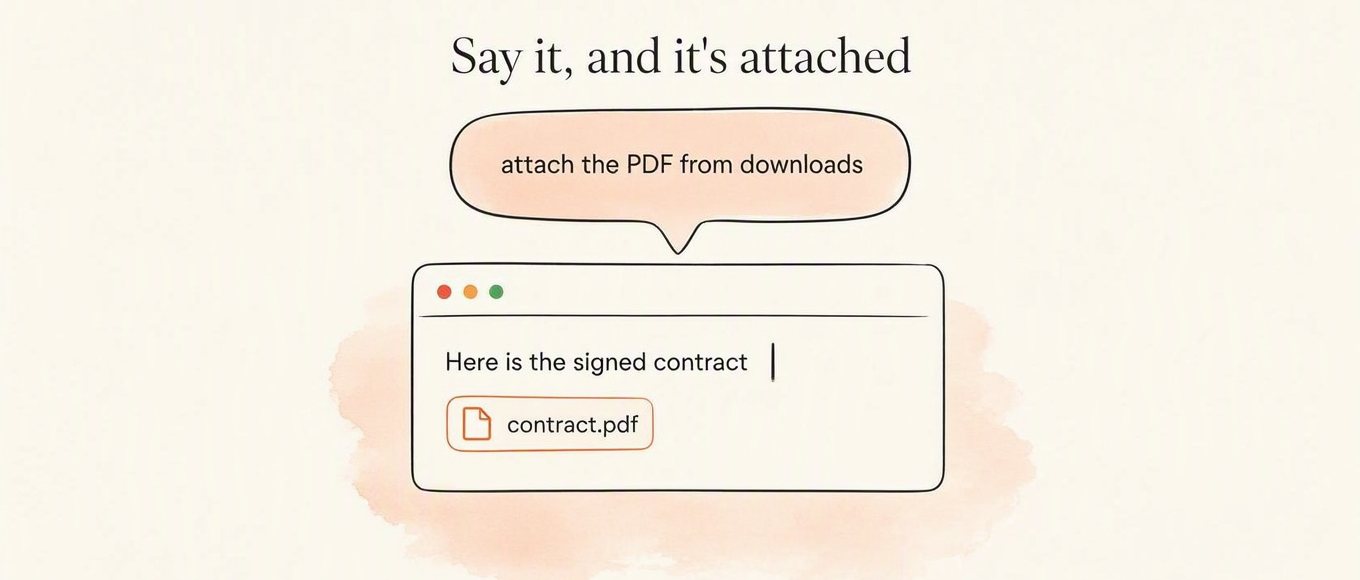
The newest match, attached for real. Pick another to watch it land.
Superwhisper’s docs describe nothing like this. Its Super mode can apply formatting commands to text you’ve selected, like title case, which is closer to SayControl’s command mode (“make it a list”, “make it formal”). The spoken controls work in any app and come with Pro. See everything you can say.
Close, but not the same
Agents, out loud
This one is close, so it’s worth being exact. Superwhisper has plugins for Claude Code, Codex, Cursor and others: when an agent asks something, wants permission or finishes, Superwhisper opens a window over whatever you’re doing with the agent’s message, and you reply by voice, by typing or by picking an option. The reply goes back into that session. Its plugin calls these “voice notifications”; its docs describe them on screen and don’t mention reading them aloud.
SayControl does the same over your ears instead of your eyes. It sums up what the agent did and says it out loud: you hear that a session finished, hit a limit or wants permission, so you can be in another window, or away from the desk, and answer out loud. You can also talk to every session at once: “any updates?”, “tell all agents to commit”.
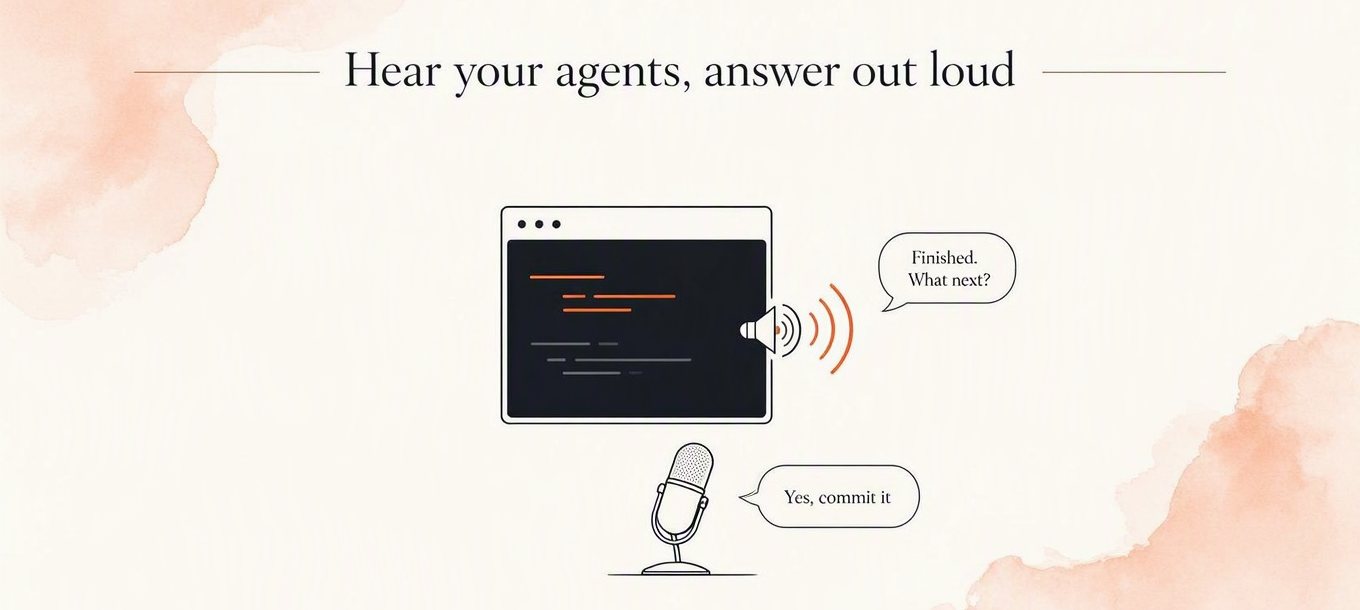
Free accounts get 10 agent conversations to try it, and Pro includes 300 a month.
Credit where due
Where Superwhisper is ahead
Quite a lot, and if any of these matter to you, they probably decide it:
It works offline. Its Whisper models run on your Mac for free, and Pro adds more local models and an on-device clean-up model for English. SayControl needs a connection.
It costs less, and you can pay once. Pro is $8.49 a month, $84.99 a year, or $249.99 for a lifetime licence. SayControl Pro is more each month and has no lifetime option.
It runs everywhere. One licence covers Mac, Windows, iPhone and Android, in 100+ languages with the right model. SayControl is Mac only, in 60+.
It does recordings. Pro transcribes audio and video files, and its Meeting mode records system audio and separates speakers. SayControl does neither.
You pick the models. Choose between local and cloud models from several AI companies, write your own mode prompts, or bring your own API keys.
Price
What it costs
Superwhisper is cheaper. Its free plan is unlimited on local models, though without the AI cleanup. SayControl’s is 2,000 words a week, cleaned up. Superwhisper Pro is $8.49 a month, $84.99 a year, or $249.99 once; SayControl Pro is $12 a month, with no yearly or lifetime option. Move the slider to see where the lifetime licence pays off.
- SayControl · Pro, monthly$144
- Superwhisper · Pro, monthly$101.88
- Superwhisper · Pro, yearly (paid up front)$84.99
- Superwhisper · Lifetime licence$249.99
A yearly plan is paid a year at a time, so 12 months on it means paying for a whole year. Superwhisper’s lifetime licence is one payment of $249.99: it costs more than SayControl Pro for the first 20 months, and less from month 21 on. Prices before tax.
Privacy
What happens to your voice
Superwhisper can keep everything on your Mac: use a local voice model and either no AI step or its on-device one, and nothing leaves. That’s a real advantage, and SayControl doesn’t offer it.SayControl works in the cloud and never keeps your audio on its servers. Both keep recordings on your Mac so you can replay them: SayControl your latest 1,000 clips, Superwhisper its whole History unless you change the setting.
| Feature | SayControl | Superwhisper |
|---|---|---|
| Where speech becomes text | In the cloud | On your Mac with a local model, or in the cloud |
| Audio kept on their servers? | Never | Never, its docs say |
| Audio kept on your Mac? | Your latest 1,000 clips (or 1 GB); can be turned off | In History, forever by default; can be changed |
| Used to train models? | No | No, its docs say |
Our privacy policy has the whole round trip.
Every row
The full comparison
Every feature, side by side.
Dictate into any app
Hold a key, talk, let go.
SayControlYesSuperwhisperYesCleanup
Fillers, false starts and spoken corrections.
SayControlEvery planSuperwhisperProStyle for each app
SayControlPersonal, Work, Email, Agents tonesSuperwhisperMessage, Mail, Note, Super and custom modesDictionary and replacements
SayControlDictionary and phrasesSuperwhisperVocabulary and replacementsReads the app you’re in
SayControlNames read off your screenSuperwhisperSuper and custom modes (Pro)Choose your model or bring a key
SayControlNoSuperwhisperProLanguages
SayControl60+Superwhisper100+ (depends on the model)
Command mode
“make it a list”, “fix the grammar” on what you selected.
SayControlProSuperwhisperFormatting commands in Super modeSpoken controls mid-sentence
Screenshots, files, links, terminal and apps, in any app.
SayControlProSuperwhisperNot availableAsk ChatGPT, Claude, Grok or Perplexity
Say the question; it opens in that AI, already asked.
SayControlProSuperwhisperNot availableCoding agents
Claude Code and Codex tell you when they need you; you answer by voice.
SayControlSummed up and said out loud. 10 free, 300 a month on ProSuperwhisperShown in a window; you reply by voice or typingTranscribe audio and video files
SayControlNoSuperwhisperProMeeting recording
SayControlNoSuperwhisperMeeting mode; system audio on Pro
Where speech becomes text
SayControlIn the cloudSuperwhisperOn your Mac or in the cloudWorks offline
SayControlNoSuperwhisperWith local modelsYour audio
SayControlNot on our servers; latest 1,000 clips on your MacSuperwhisperNot on their servers; kept on your Mac in History, forever by default
Free
SayControl2,000 words a week, with cleanupSuperwhisperUnlimited on local Whisper, no AI stepPro, paid monthly
SayControl$12 a monthSuperwhisper$8.49 a monthPro, paid yearly
SayControlNo yearly plan, so no year up frontSuperwhisper$84.99 a yearLifetime licence
SayControlNoSuperwhisper$249.99 onceTeams
SayControlEnterprise, priced with youSuperwhisperEnterprise: SOC 2 Type II, SSO, HIPAA BAA
Platforms
SayControlmacOS 13 and laterSuperwhispermacOS 14+, Windows, iPhone, Android
| Feature | SayControl | Superwhisper |
|---|---|---|
| Dictation | ||
| Dictate into any appHold a key, talk, let go. | Yes | Yes |
| CleanupFillers, false starts and spoken corrections. | Every plan | Pro |
| Style for each app | Personal, Work, Email, Agents tones | Message, Mail, Note, Super and custom modes |
| Dictionary and replacements | Dictionary and phrases | Vocabulary and replacements |
| Reads the app you’re in | Names read off your screen | Super and custom modes (Pro) |
| Choose your model or bring a key | No | Pro |
| Languages | 60+ | 100+ (depends on the model) |
| Doing things with your voice | ||
| Command mode“make it a list”, “fix the grammar” on what you selected. | Pro | Formatting commands in Super mode |
| Spoken controls mid-sentenceScreenshots, files, links, terminal and apps, in any app. | Pro | Not available |
| Ask ChatGPT, Claude, Grok or PerplexitySay the question; it opens in that AI, already asked. | Pro | Not available |
| Coding agentsClaude Code and Codex tell you when they need you; you answer by voice. | Summed up and said out loud. 10 free, 300 a month on Pro | Shown in a window; you reply by voice or typing |
| Transcribe audio and video files | No | Pro |
| Meeting recording | No | Meeting mode; system audio on Pro |
| Privacy | ||
| Where speech becomes text | In the cloud | On your Mac or in the cloud |
| Works offline | No | With local models |
| Your audio | Not on our servers; latest 1,000 clips on your Mac | Not on their servers; kept on your Mac in History, forever by default |
| Plans | ||
| Free | 2,000 words a week, with cleanup | Unlimited on local Whisper, no AI step |
| Pro, paid monthly | $12 a month | $8.49 a month |
| Pro, paid yearly | No yearly plan, so no year up front | $84.99 a year |
| Lifetime licence | No | $249.99 once |
| Teams | Enterprise, priced with you | Enterprise: SOC 2 Type II, SSO, HIPAA BAA |
| Where it runs | ||
| Platforms | macOS 13 and later | macOS 14+, Windows, iPhone, Android |
Questions
What people ask when switching
Sources
- Superwhisper pricing
- Plans and billing docs
- Built-in modes docs
- Voice models docs
- Language models docs
- Coding agents docs
- History docs
- Sensitive data docs
- Superwhisper on the App Store
Checked on 12 October 2026. Superwhisper and its logo are trademarks of their owner, shown here only to identify the product; SayControl is not affiliated with it. Something out of date? Write to support@saycontrol.com and we’ll fix it.
Try it on this week’s free words.
2,000 words, no card, no key. Keep Superwhisper until you’ve decided.
Needs a connection. No Windows or iPhone version yet.