SayControl vs Apple Dictation: is it worth paying for?
Your Mac already has Dictation, and it’s free. Here’s what SayControl adds for $12 a month, and when you should keep what you have.
We make SayControl, so read this knowing that. Every Apple Dictation fact here comes from Apple Dictation’s own pages, linked at the end and checked on 12 October 2026. Where Apple Dictation is the better pick, we say so.
TL;DR
The short answer
If Dictation gets your words right and you don’t mind tidying them afterwards, keep it. It’s free, it has no timeout, and in 22 languages it never leaves your Mac.
SayControl is worth paying for when you want more than the words you said: the “um”s and restarts gone, a tone that fits the app, screenshots and files landing as you speak, questions sent straight to ChatGPT or Claude, and coding agents that tell you when they need you. Its free plan, 2,000 words a week, lets you find out before you pay.
Nothing ticked yet. If none of these matter to you, both will do the job: try each one’s free plan and keep the one you like.
At a glance
The ten things people ask about
| Feature |  SayControl SayControl |  Apple Dictation Apple Dictation |
|---|---|---|
| Price | Free for 2,000 words a week a week; Pro $12 a month | Free, built in |
| Already on your Mac | ||
| Fillers and false starts removed | Not described | |
| Tone for each app | Not in Dictation | |
| Stays on your Mac | 22 languages | |
| Rewrite selected text by voice | Pro | Siri AI (beta, English) |
| Screenshots, files, links by voice | Not available | |
| Coding agents that talk back | Not available | |
| Click and scroll by voice | Voice Control | |
| Languages | 60+ | 34 |
Common ground
What both do
Both put your words wherever you can type, add punctuation without you saying it, and work in dozens of languages. In macOS 27, Siri AI can also rewrite selected text when you ask, in English.
- Dictate anywhere you can type
- Free to use
- Punctuation without saying it
- Dozens of languages
- Rewrite selected text by voice
Two ideas
What $12 adds
Dictation writes down what you said, faithfully. SayControl writes down what you meant, and does what you asked for along the way.
SayControlWhat SayControl adds
- Fillers and false starts removed, on every plan
- A tone for each app
- Screenshots, files and links land mid-sentence
- Agents speak up when they need you
Apple DictationAlready on your Mac
- Free, with no timeout
- On your Mac in 22 languages
- Say “comma” or “new line” to format
- Voice Control runs the whole Mac
Where SayControl goes further
Say it the way you talk
Nobody talks in finished sentences. SayControl takes out the “um”s and “uh”s, keeps the version you meant when you correct yourself mid-sentence, and fits the tone to the app: casual in Messages, tidy in Mail. That’s on the free plan too.
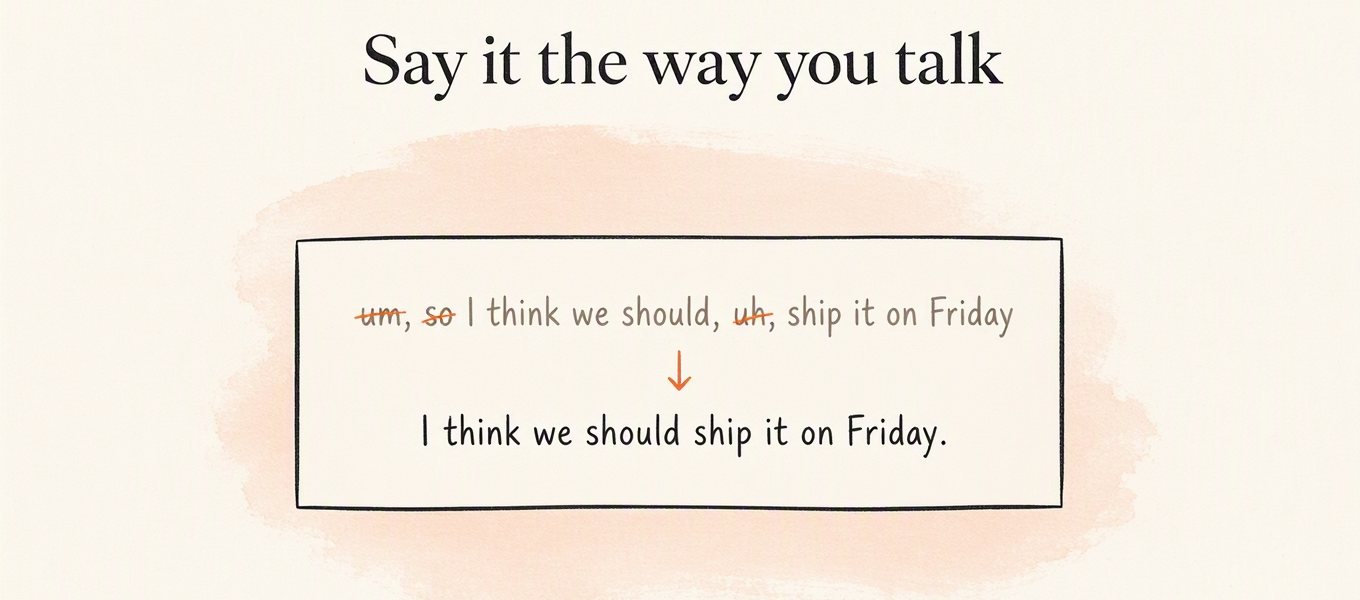
Apple’s Dictation pages don’t say it does this. It adds commas, full stops and question marks for you in 12 languages, and you say the rest aloud: “comma”, “new line”, “all caps”.
Where SayControl goes further
Dictation that does things
In SayControl, you can name a thing in the middle of a sentence and it lands there. Say “take a screenshot” and the picture is pasted where you were writing. Say “attach the PDF from downloads” and the newest one is attached. Say “polish it” and command mode tidies what’s on screen.
A picture of your screen, pasted mid-sentence. Pick another to watch it land.
Dictation’s own commands are for punctuation and formatting. Voice Control goes much further, but in a different direction: it clicks, scrolls and opens apps for people who drive the whole Mac by voice. SayControl’s controls come with Pro. See everything you can say.
Only in SayControl
Your coding agents talk back
You can dictate into Terminal like anywhere else, but nothing tells you when Claude Code or Codex is done. SayControl sums up what each agent did and says it out loud: finished, stuck on a limit, or waiting for a yes. Answer by voice and the reply goes into that session.
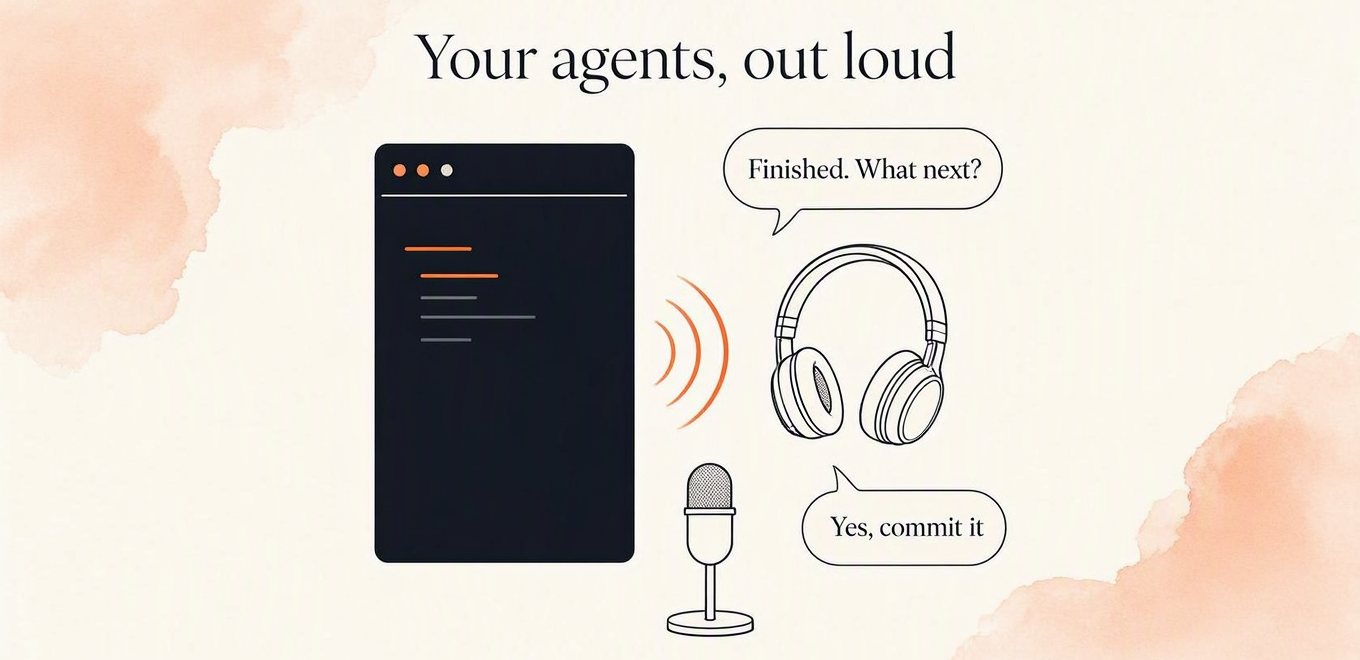
Free accounts get 10 conversations to try it, and Pro includes 300 a month.
Credit where due
Where Dictation is ahead
It’s a good tool, and in these ways a better one:
It’s free, and already there. Nothing to download and nothing to sign in to. It’s in System Settings, ready to switch on.
It can stay on your Mac. In 22 languages your speech is turned into text on the Mac itself. SayControl always uses the cloud.
It doesn’t stop you. Apple says you can dictate text of any length without a timeout, and on Apple silicon keep typing while you talk.
Voice Control runs the whole Mac. Open apps, click buttons, scroll and drag by voice, with your own commands. It’s built for accessibility, and SayControl isn’t a replacement for it.
Siri AI writes by voice. In macOS 27, Siri AI can draft, rewrite and proofread selected text when you ask, in English, as a beta with daily limits.
Privacy
What happens to your voice
This is Dictation’s strongest card. In 22 languages, after a download, your speech becomes text on the Mac and goes nowhere. In others it goes to Apple’s servers, which keep audio only if you opt in to Improve Siri and Dictation. SayControl always uses the cloud, and never keeps your audio or transcripts on its servers. If your voice must not leave the Mac, use Dictation.
| Feature | SayControl | Apple Dictation |
|---|---|---|
| Where speech becomes text | In the cloud | On your Mac in 22 languages; Apple’s servers otherwise |
| Audio kept on the servers? | Never | Only if you opt in to Improve Siri and Dictation |
| Transcripts kept on the servers? | Never | May be, for up to two years, under a random identifier |
Our privacy policy has the whole round trip.
Every row
The full comparison
Every feature, side by side.
Dictate into any app
SayControlYesApple DictationYesFillers and false starts removed
“um”, “uh”, and the sentence you restarted.
SayControlYesApple DictationNot described by AppleTone for each app
SayControlPersonal, Work, Email, AgentsApple DictationNot in DictationPunctuation
SayControlAdded for youApple DictationAutomatic in 12 languages; or say “comma”Your own words
SayControlDictionary and phrasesApple DictationVocabulary in Voice ControlLanguages
SayControl60+Apple Dictation34 (22 on your Mac)
Rewrite selected text by voice
“make it shorter”, “make it formal” on what you selected.
SayControlCommand mode, ProApple DictationSiri AI: English, beta, daily limitsSpoken controls mid-sentence
Screenshots, files, links, terminal and apps, in any app.
SayControlProApple DictationNot availableAsk ChatGPT, Claude, Grok or Perplexity
Say the question; it opens in that AI, already asked.
SayControlProApple DictationNot in DictationClick, scroll and drive the Mac by voice
SayControlNoApple DictationVoice ControlCoding agents that talk back
Claude Code and Codex say when they need you; you answer by voice.
SayControl10 free, 300 a month on ProApple DictationNot available
Where speech becomes text
SayControlIn the cloudApple DictationOn your Mac in 22 languages; Apple’s servers otherwiseAudio kept on the servers
SayControlNeverApple DictationOnly if you opt in to Improve Siri and Dictation
Price
SayControlFree for 2,000 words a week a week; Pro $12 a monthApple DictationFree, built inPlatforms
SayControlmacOS 13 and laterApple DictationEvery Mac, iPhone and iPad
| Feature | SayControl | Apple Dictation |
|---|---|---|
| Dictation | ||
| Dictate into any app | Yes | Yes |
| Fillers and false starts removed“um”, “uh”, and the sentence you restarted. | Yes | Not described by Apple |
| Tone for each app | Personal, Work, Email, Agents | Not in Dictation |
| Punctuation | Added for you | Automatic in 12 languages; or say “comma” |
| Your own words | Dictionary and phrases | Vocabulary in Voice Control |
| Languages | 60+ | 34 (22 on your Mac) |
| Doing things with your voice | ||
| Rewrite selected text by voice“make it shorter”, “make it formal” on what you selected. | Command mode, Pro | Siri AI: English, beta, daily limits |
| Spoken controls mid-sentenceScreenshots, files, links, terminal and apps, in any app. | Pro | Not available |
| Ask ChatGPT, Claude, Grok or PerplexitySay the question; it opens in that AI, already asked. | Pro | Not in Dictation |
| Click, scroll and drive the Mac by voice | No | Voice Control |
| Coding agents that talk backClaude Code and Codex say when they need you; you answer by voice. | 10 free, 300 a month on Pro | Not available |
| Privacy | ||
| Where speech becomes text | In the cloud | On your Mac in 22 languages; Apple’s servers otherwise |
| Audio kept on the servers | Never | Only if you opt in to Improve Siri and Dictation |
| Price and platforms | ||
| Price | Free for 2,000 words a week a week; Pro $12 a month | Free, built in |
| Platforms | macOS 13 and later | Every Mac, iPhone and iPad |
Questions
What people ask
Sources
- Use Dictation on Mac
- Commands for dictating text
- macOS feature availability
- Voice Control commands
- Voice Control vocabulary
- Write with Siri AI
- Writing Tools
- Ask Siri, Dictation and privacy
Checked on 12 October 2026. Apple, Mac, macOS and Siri are trademarks of Apple Inc., named here only to identify the product. The microphone icon is our own drawing, not Apple’s. SayControl is not affiliated with Apple. Something out of date? Write to support@saycontrol.com and we’ll fix it.
Try it on this week’s free words.
2,000 words, no card, no key. Keep Apple Dictation until you’ve decided.
Needs a connection, unlike Dictation in 22 languages.