SayControl vs VoiceInk: which Mac dictation app fits you?
VoiceInk is a toolkit you own: local models, one payment, open code, and your own keys for the AI. SayControl has nothing to wire up, and your voice does more than type.
We make SayControl, so read this knowing that. Every VoiceInk fact here comes from VoiceInk’s own pages, linked at the end and checked on 12 October 2026. Where VoiceInk is the better pick, we say so.
TL;DR
The short answer
If your voice must stay on your Mac, or you’d rather pay once, pick VoiceInk. It runs local models, costs $25 for a Mac, and its code is open for anyone to read and build. We won’t argue with any of that.
Pick SayControl if you want cleanup that works with nothing to set up, and a voice that does things: screenshots and files landing mid-sentence, questions sent straight to ChatGPT or Claude, and coding agents that tell you when they need you.
Nothing ticked yet. If none of these matter to you, both will do the job: try each one’s free plan and keep the one you like.
At a glance
The ten things people ask about
| Feature |  SayControl SayControl |  VoiceInk VoiceInk |
|---|---|---|
| Price | Free for 2,000 words a week a week; Pro $12 a month | $25 once, for 1 Mac |
| Free to use | 2,000 words a week, every week | 7-day trial |
| Stays on your Mac | ||
| AI cleanup | Included | Bring a key, Ollama or 16 GB |
| Style per app | ||
| Screenshots, files, links by voice | Your own scripts | |
| Ask ChatGPT, Claude, Grok, Perplexity | Its own assistant | |
| Coding agents that talk back | Not available | |
| Transcribe audio files | ||
| Languages | 60+ | Depends on the model |
Common ground
What both do well
Both type where your cursor is, take out the fillers, switch style by app and use what’s on screen to get names right. VoiceInk calls its styles Modes and lets them switch by website or a spoken trigger word too.
- Hold a key, talk, and it types in any app
- Fillers removed and words cleaned up
- A different style for each app
- A dictionary and replacements
- Uses what’s on screen to get words right
Two ideas
Your keys, or none
VoiceInk’s transcription is yours from the moment you buy it. The AI cleanup is a separate choice: paste a key for a cloud provider and pay them, run Ollama, or use its own on-device model, which needs a 16 GB Apple silicon Mac. That’s real freedom, and some setting up.
SayControl has no key to paste on any plan. The dictation and the cleanup are both included, the free plan too, and there’s no provider bill on the side. You sign in, hold fn and talk.
SayControlNothing to set up
- Dictation and cleanup included, no key
- 2,000 free words every week
- Screenshots, files and links land mid-sentence
- Agents speak up when they need you
VoiceInkBuild it your way
- Dozens of local and cloud speech models
- Cleanup through your own key, Ollama, or on-device
- Modes by app, website or trigger word
- Open code you can build yourself
Where SayControl goes further
Dictation that does things
Say “attach the pdf from the stocks folder in desktop” in the middle of a message and that file is attached. Say “take a screenshot” and the picture is pasted where you are. Say “copy the link” and the page you were reading lands in the sentence.
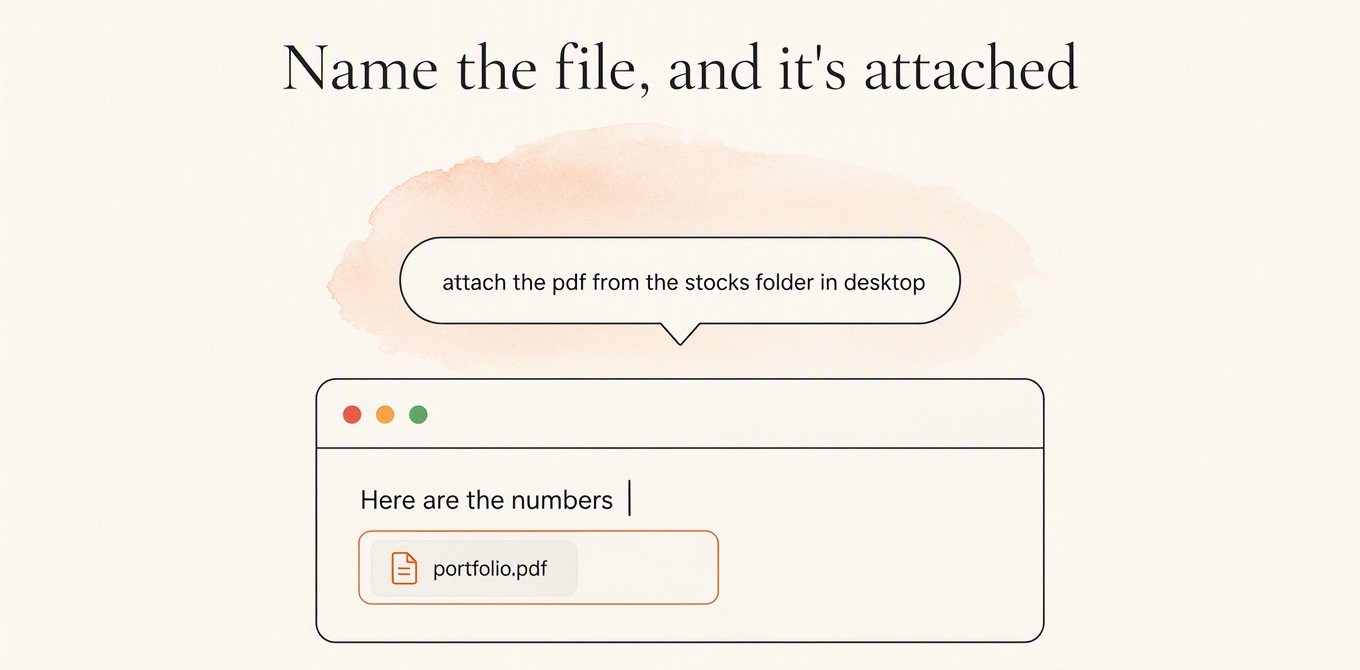
Any folder on the Mac by name, however deep. Pick another to watch it land.
VoiceInk can get part of the way if you write it yourself: its Custom Command option passes what you said to a shell command. Its Assistant answers questions in its own window, with your API key. SayControl’s controls are built in, work in any app, and come with Pro. See everything you can say.
Only in SayControl
Your coding agents talk back
VoiceInk talks to Claude Code and Codex in one way: its Local CLI option can borrow their command-line tools to clean up your text. It doesn’t tell you what they’re doing.
SayControl does. It sums up what each agent did and says it out loud: finished, stuck on a limit, or waiting for a yes. Answer by voice from across the room and the reply goes into that session.
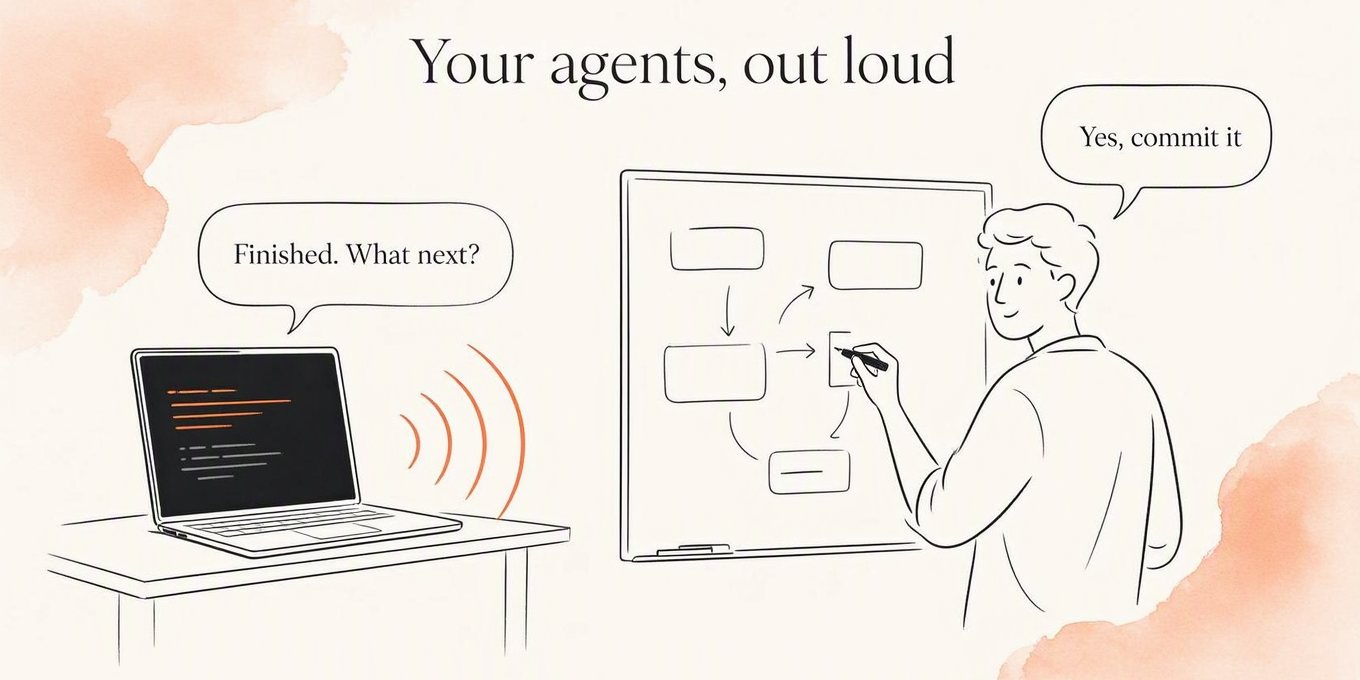
Free accounts get 10 conversations to try it, and Pro includes 300 a month.
Credit where due
Where VoiceInk is ahead
On these, VoiceInk is the better pick, plainly:
It stays on your Mac. Local models turn speech into text on the Mac, offline. Cloud providers are there only if you choose them. SayControl always uses the cloud.
You pay once. $25 for one Mac, $39 for two, $49 for three, with updates included and no subscription.
It’s open source. The code is public under GPL v3, and you can build the app yourself.
You choose every part. Dozens of local and cloud speech models, cleanup by any provider you have a key for or by Ollama, and modes that switch by app, website or a spoken word.
It does recordings. It transcribes audio and video files in a queue, and can pipe what you say into a shell command you write.
Price
What it costs
VoiceInk is $25 once for one Mac, $39 for two. SayControl Pro is $12 a month, so VoiceInk costs less from the third month. Two things to weigh: if you use VoiceInk’s cloud models or cloud cleanup, those providers bill you on top; and SayControl’s free plan, 2,000 words every week, may be all you need.
- SayControl · Pro, monthly$144
- VoiceInk · Solo licence, 1 Mac$25
- VoiceInk · Personal licence, 2 Macs$39
VoiceInk’s Solo licence for one Mac is one payment of $25: it costs more than SayControl Pro for the first 2 months, and less from month 3 on. Prices before tax.
Privacy
What happens to your voice
With local models, VoiceInk’s audio never leaves your Mac, and that’s the strongest reason to choose it. Pick a cloud provider and it goes to them, on their terms. SayControl always sends audio to the cloud, never keeps it on its servers, and keeps your latest clips on your Mac.
| Feature | SayControl | VoiceInk |
|---|---|---|
| Where speech becomes text | In the cloud | On your Mac, unless you pick a cloud provider |
| Audio kept on servers? | Never | Not with local models; cloud providers by their own terms |
Our privacy policy has the whole round trip.
Every row
The full comparison
Every feature, side by side.
Dictate into any app
Hold a key, talk, let go.
SayControlYesVoiceInkYesAI cleanup
Fillers, false starts and spoken corrections.
SayControlIncluded, nothing to set upVoiceInkYour own API key, Ollama, or its on-device model (16 GB Macs)Style for each app
SayControlPersonal, Work, Email, Agents tonesVoiceInkModes, by app, website or trigger wordDictionary and replacements
SayControlDictionary and phrasesVoiceInkDictionary and replacements; learns from correctionsUses what’s on screen
SayControlNames read off your screenVoiceInkSelected text, clipboard and window text, with AI cleanup onWhere speech becomes text
SayControlIn the cloudVoiceInkOn your Mac, or a cloud provider you chooseWorks offline
SayControlNoVoiceInkWith local modelsLanguages
SayControl60+VoiceInkDepends on the model
Spoken controls mid-sentence
Screenshots, files, links, terminal and apps, in any app.
SayControlProVoiceInkYour own shell scriptsAsk an AI a question
SayControlOpens in ChatGPT, Claude, Grok or Perplexity, already asked (Pro)VoiceInkIts assistant answers in its own window, with your API keyCoding agents that talk back
Claude Code and Codex say when they need you; you answer by voice.
SayControl10 free, 300 a month on ProVoiceInkNot availableTranscribe audio and video files
SayControlNoVoiceInkYes
Your audio
SayControlNever kept on our servers; recent clips on your MacVoiceInkStays on your Mac with local models
Free
SayControl2,000 words a week, every weekVoiceInk7-day trial, or build it yourself from the sourcePaid
SayControl$12 a monthVoiceInk$25 once for 1 Mac, $39 for 2, $49 for 3Cloud AI costs
SayControlIncludedVoiceInkYour provider bills you, if you use cloud modelsTeams
SayControlEnterprise, priced with youVoiceInk$159 once for 10 Macs
Platforms
SayControlmacOS 13 and laterVoiceInkmacOS 15 and later; local models need Apple silicon
| Feature | SayControl | VoiceInk |
|---|---|---|
| Dictation | ||
| Dictate into any appHold a key, talk, let go. | Yes | Yes |
| AI cleanupFillers, false starts and spoken corrections. | Included, nothing to set up | Your own API key, Ollama, or its on-device model (16 GB Macs) |
| Style for each app | Personal, Work, Email, Agents tones | Modes, by app, website or trigger word |
| Dictionary and replacements | Dictionary and phrases | Dictionary and replacements; learns from corrections |
| Uses what’s on screen | Names read off your screen | Selected text, clipboard and window text, with AI cleanup on |
| Where speech becomes text | In the cloud | On your Mac, or a cloud provider you choose |
| Works offline | No | With local models |
| Languages | 60+ | Depends on the model |
| Doing things with your voice | ||
| Spoken controls mid-sentenceScreenshots, files, links, terminal and apps, in any app. | Pro | Your own shell scripts |
| Ask an AI a question | Opens in ChatGPT, Claude, Grok or Perplexity, already asked (Pro) | Its assistant answers in its own window, with your API key |
| Coding agents that talk backClaude Code and Codex say when they need you; you answer by voice. | 10 free, 300 a month on Pro | Not available |
| Transcribe audio and video files | No | Yes |
| Privacy | ||
| Your audio | Never kept on our servers; recent clips on your Mac | Stays on your Mac with local models |
| Price | ||
| Free | 2,000 words a week, every week | 7-day trial, or build it yourself from the source |
| Paid | $12 a month | $25 once for 1 Mac, $39 for 2, $49 for 3 |
| Cloud AI costs | Included | Your provider bills you, if you use cloud models |
| Teams | Enterprise, priced with you | $159 once for 10 Macs |
| Where it runs | ||
| Platforms | macOS 13 and later | macOS 15 and later; local models need Apple silicon |
Questions
What people ask when switching
Sources
- VoiceInk
- VoiceInk pricing
- Installation and requirements
- Local models
- Cloud providers
- VoiceInk Refine
- Context awareness
- Assistant Mode
- Custom commands
- Local CLI
- Privacy and data
- VoiceInk on GitHub
Checked on 12 October 2026. VoiceInk and its logo are trademarks of their owner, shown here only to identify the product; SayControl is not affiliated with it. Something out of date? Write to support@saycontrol.com and we’ll fix it.
Try it on this week’s free words.
2,000 words, no card, no key. Keep VoiceInk until you’ve decided.
Needs a connection. No one-time licence.