SayControl vs Voibe: which Mac dictation app fits you?
Voibe is built for confidential work: it can stay on your Mac and promises not to look at your other apps. SayControl looks, a little, so your voice can do more than type.
We make SayControl, so read this knowing that. Every Voibe fact here comes from Voibe’s own pages, linked at the end and checked on 12 October 2026. Where Voibe is the better pick, we say so.
TL;DR
The short answer
If you dictate confidential work and want the app to see as little as possible, pick Voibe. It can transcribe on your Mac, doesn’t read your other apps, takes meeting notes on its Work plan, runs on Windows, and costs less.
Pick SayControl if you want your voice to do things in any app: screenshots and files landing mid-sentence, a tone that fits the app, rewrites by voice, questions sent straight to ChatGPT or Claude, and coding agents that tell you when they need you.
Nothing ticked yet. If none of these matter to you, both will do the job: try each one’s free plan and keep the one you like.
At a glance
The eleven things people ask about
| Feature |  SayControl SayControl |  Voibe Voibe |
|---|---|---|
| Free plan | 2,000 words a week, every week | Limited, not published |
| Paid monthly | $12 a month | $9.90 a month |
| Pay once | $199 | |
| Stays on your Mac | On-device mode | |
| Reads your screen | For names; can be off | No |
| Tone for each app | Not described | |
| Screenshots, files, links by voice | File names in code editors | |
| Ask ChatGPT, Claude, Grok, Perplexity | Not available | |
| Coding agents that talk back | Not available | |
| Meeting notes | Voibe Work | |
| Runs on | Mac | Mac and Windows |
Common ground
What both do well
Both type where your cursor is, remove fillers and write numbers the way you’d type them, learn your vocabulary, and expand a spoken shortcut into text you type often. Neither trains AI on what you say.
- Hold a key, talk, and it types in any app
- Fillers removed and numbers written properly
- Custom vocabulary
- Spoken shortcuts for text you type often
- Nothing used to train AI models
Two ideas
Sees less, or does more
Voibe’s promise is restraint. On Apple silicon it can keep your speech on the Mac. It says it doesn’t read the contents of other apps, doesn’t watch what you type and doesn’t take screenshots. For a lawyer or a doctor, that may be the whole decision.
SayControl makes the other trade, and says so. By default it skims the front window for names and sends a short list of them with your audio, so names come out right; there’s a switch to turn it off. And it takes a screenshot or attaches a file when you ask, because acting on what you say is the point.
SayControlDoes what you say
- Screenshots and files land mid-sentence
- Names read off your screen, if you allow it
- Command mode rewrites what you selected
- Agents speak up when they need you
VoibeSees as little as it can
- On-device transcription on Apple silicon
- Doesn’t read other apps or take screenshots
- Audio deleted after cloud transcription
- Meeting notes with no bot (Work)
Where SayControl goes further
Dictation that does things
Say “take a screenshot” while writing an email and the picture is pasted where you were. Say “attach the PDF from downloads” and the newest one is attached. Say “polish it” and command mode tidies what’s on screen.
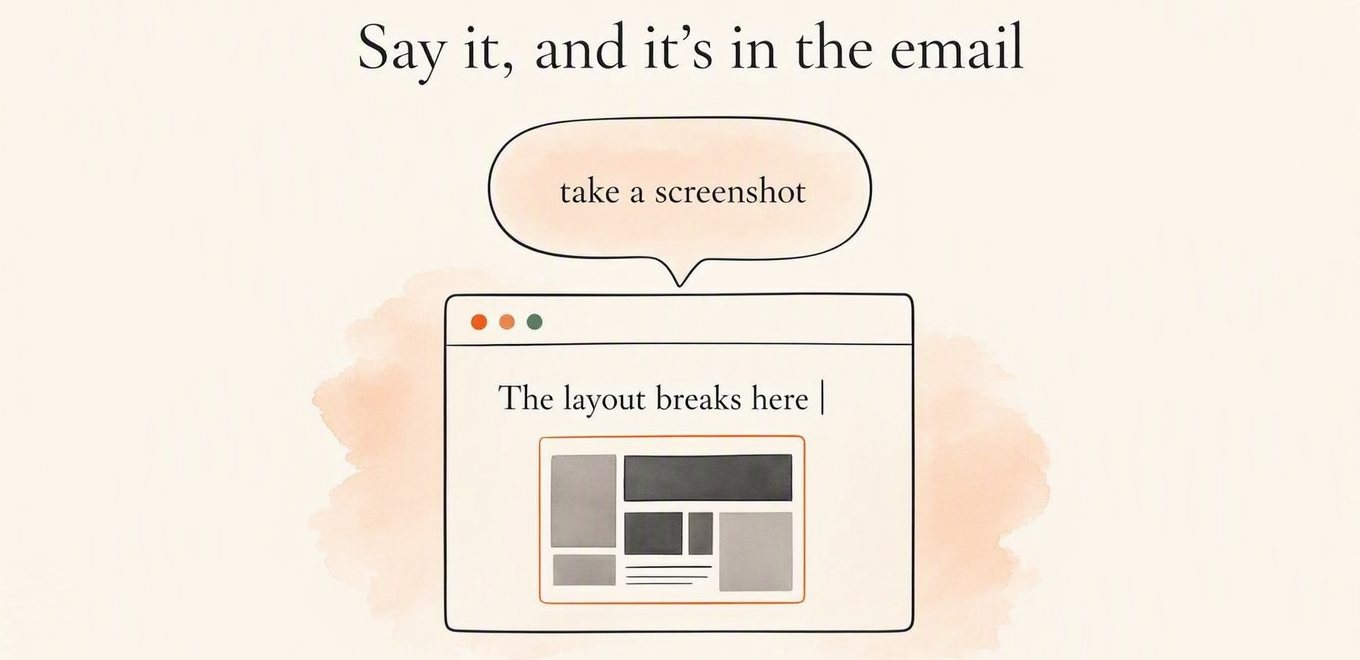
A picture of your screen, pasted mid-sentence. Pick another to watch it land.
Voibe has one thing in this family: in Cursor, VS Code and Windsurf, its Developer Mode attaches a file to the AI chat when you say its name. SayControl’s controls work in any app, on Pro. See everything you can say.
Only in SayControl
Your coding agents talk back
Voibe is good at dictating into Claude Code and Codex, and resolves the file names you say in an editor’s terminal. It doesn’t tell you when an agent is done.
SayControl does. It sums up what each agent did and says it out loud: finished, stuck on a limit, or waiting for a yes. Answer by voice from the kitchen and the reply goes into that session.
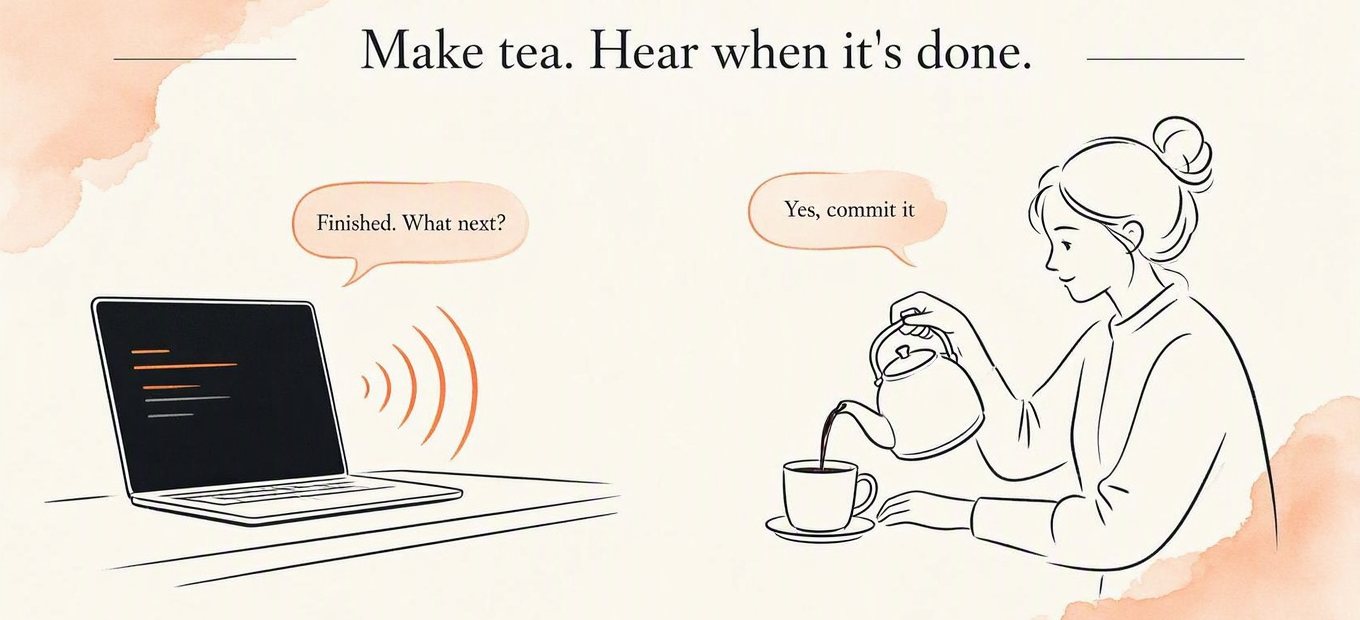
Free accounts get 10 conversations to try it, and Pro includes 300 a month.
Credit where due
Where Voibe is ahead
Voibe is the better pick on these:
It can stay on your Mac. On Apple silicon, its on-device mode transcribes without a connection; turn AI formatting off and nothing leaves. SayControl always uses the cloud.
It sees less. Voibe says it doesn’t read other apps, watch what you type or take screenshots. SayControl reads names off your screen unless you switch that off.
It costs less, and you can pay once. Dictation is $9.90 a month, $99 a year, or $199 for life.
It takes meeting notes. Voibe Work records any meeting app without a bot, labels speakers and writes summaries you can question.
It runs on Windows. As well as Intel and Apple silicon Macs, in 100+ languages.
Price
What it costs
Voibe costs less: Dictation is $9.90 a month, $99 a year, or $199 once. SayControl Pro is $12 a month, with no yearly or lifetime option. Meeting notes are on Voibe Work, at $19 a month. Free, SayControl gives 2,000 words every week; Voibe’s free word limit isn’t published.
- SayControl · Pro, monthly$144
- Voibe · Dictation, monthly$118.80
- Voibe · Dictation, yearly (paid up front)$99
- Voibe · Dictation, lifetime$199
A yearly plan is paid a year at a time, so 12 months on it means paying for a whole year. Voibe’s lifetime Dictation licence is one payment of $199: it costs more than SayControl Pro for the first 16 months, and less from month 17 on. Prices before tax.
Privacy
What happens to your voice
Neither keeps your audio on its servers, and neither trains on it. The difference is where the work happens and what the app looks at. Voibe can transcribe on your Mac, sends finished text to the cloud only for AI formatting, and doesn’t read other apps; it does collect usage counts and crash reports. SayControl always uses the cloud and reads names off your screen unless you switch it off.
| Feature | SayControl | Voibe |
|---|---|---|
| Where speech becomes text | In the cloud | On your Mac (Apple silicon), or its cloud |
| Audio kept on servers? | Never | Never: deleted once transcribed |
| Reads your screen? | Names only, as spelling hints; can be turned off | No, it says |
Our privacy policy has the whole round trip.
Every row
The full comparison
Every feature, side by side.
Dictate into any app
Hold a key, talk, let go.
SayControlYesVoibeYesCleanup
Fillers, punctuation, numbers and lists.
SayControlYesVoibeAI formatting, in the cloudTone for each app
SayControlPersonal, Work, Email, AgentsVoibeNot describedVocabulary and shortcuts
SayControlDictionary and phrasesVoibeCustom vocabulary and MemoryReads your screen
SayControlFor names, on by default; can be turned offVoibeNo: it doesn’t read other appsWhere speech becomes text
SayControlIn the cloudVoibeOn your Mac (Apple silicon) or its cloudWorks offline
SayControlNoVoibeOn-device mode, without AI formattingLanguages
SayControl60+Voibe100+
Rewrite selected text by voice
“make it shorter”, “make it formal” on what you selected.
SayControlCommand mode, ProVoibeNot describedSpoken controls mid-sentence
Screenshots, files, links, terminal and apps, in any app.
SayControlProVoibeFile names in Cursor, VS Code, WindsurfAsk ChatGPT, Claude, Grok or Perplexity
Say the question; it opens in that AI, already asked.
SayControlProVoibeNot availableCoding agents that talk back
Claude Code and Codex say when they need you; you answer by voice.
SayControl10 free, 300 a month on ProVoibeNot availableMeeting notes
No bot joins the call.
SayControlNoVoibeVoibe Work
Your audio
SayControlNever kept on our servers; recent clips on your MacVoibeStays on your Mac on-device; deleted after cloud transcription
Free
SayControl2,000 words a week, every weekVoibeLimited words, number not publishedPaid monthly
SayControl$12 a monthVoibe$9.90 a monthPaid yearly
SayControlNo yearly plan, so no year up frontVoibe$99 a yearLifetime
SayControlNoVoibe$199 onceWith meeting notes
SayControlNoVoibeVoibe Work: $19 a month, $149 a year or $399 once
Platforms
SayControlmacOS 13 and laterVoibemacOS 14.4 and later, and Windows
| Feature | SayControl | Voibe |
|---|---|---|
| Dictation | ||
| Dictate into any appHold a key, talk, let go. | Yes | Yes |
| CleanupFillers, punctuation, numbers and lists. | Yes | AI formatting, in the cloud |
| Tone for each app | Personal, Work, Email, Agents | Not described |
| Vocabulary and shortcuts | Dictionary and phrases | Custom vocabulary and Memory |
| Reads your screen | For names, on by default; can be turned off | No: it doesn’t read other apps |
| Where speech becomes text | In the cloud | On your Mac (Apple silicon) or its cloud |
| Works offline | No | On-device mode, without AI formatting |
| Languages | 60+ | 100+ |
| Doing things with your voice | ||
| Rewrite selected text by voice“make it shorter”, “make it formal” on what you selected. | Command mode, Pro | Not described |
| Spoken controls mid-sentenceScreenshots, files, links, terminal and apps, in any app. | Pro | File names in Cursor, VS Code, Windsurf |
| Ask ChatGPT, Claude, Grok or PerplexitySay the question; it opens in that AI, already asked. | Pro | Not available |
| Coding agents that talk backClaude Code and Codex say when they need you; you answer by voice. | 10 free, 300 a month on Pro | Not available |
| Meeting notesNo bot joins the call. | No | Voibe Work |
| Privacy | ||
| Your audio | Never kept on our servers; recent clips on your Mac | Stays on your Mac on-device; deleted after cloud transcription |
| Plans | ||
| Free | 2,000 words a week, every week | Limited words, number not published |
| Paid monthly | $12 a month | $9.90 a month |
| Paid yearly | No yearly plan, so no year up front | $99 a year |
| Lifetime | No | $199 once |
| With meeting notes | No | Voibe Work: $19 a month, $149 a year or $399 once |
| Where it runs | ||
| Platforms | macOS 13 and later | macOS 14.4 and later, and Windows |
Questions
What people ask when switching
Sources
- Voibe
- Voibe pricing
- System requirements
- How on-device works
- Cloud AI privacy
- Smart formatting
- Developer Mode
- Dictating to AI assistants
- Meeting notes
- Permissions
- Privacy policy
- Release notes
Checked on 12 October 2026. Voibe and its logo are trademarks of their owner, shown here only to identify the product; SayControl is not affiliated with it. Something out of date? Write to support@saycontrol.com and we’ll fix it.
Try it on this week’s free words.
2,000 words, no card, no key. Keep Voibe until you’ve decided.
Needs a connection. No Windows version yet.